Payments & Wallet
Manage wallet credits, campaign payments, AI studio subscriptions, and download invoices.
The Payments & Wallet page handles all financial transactions, wallet balances, and invoices on FairAds AI.
Go to Platform
Manage your payments, wallet balance, and invoices on the app: app.fairads.in/payments
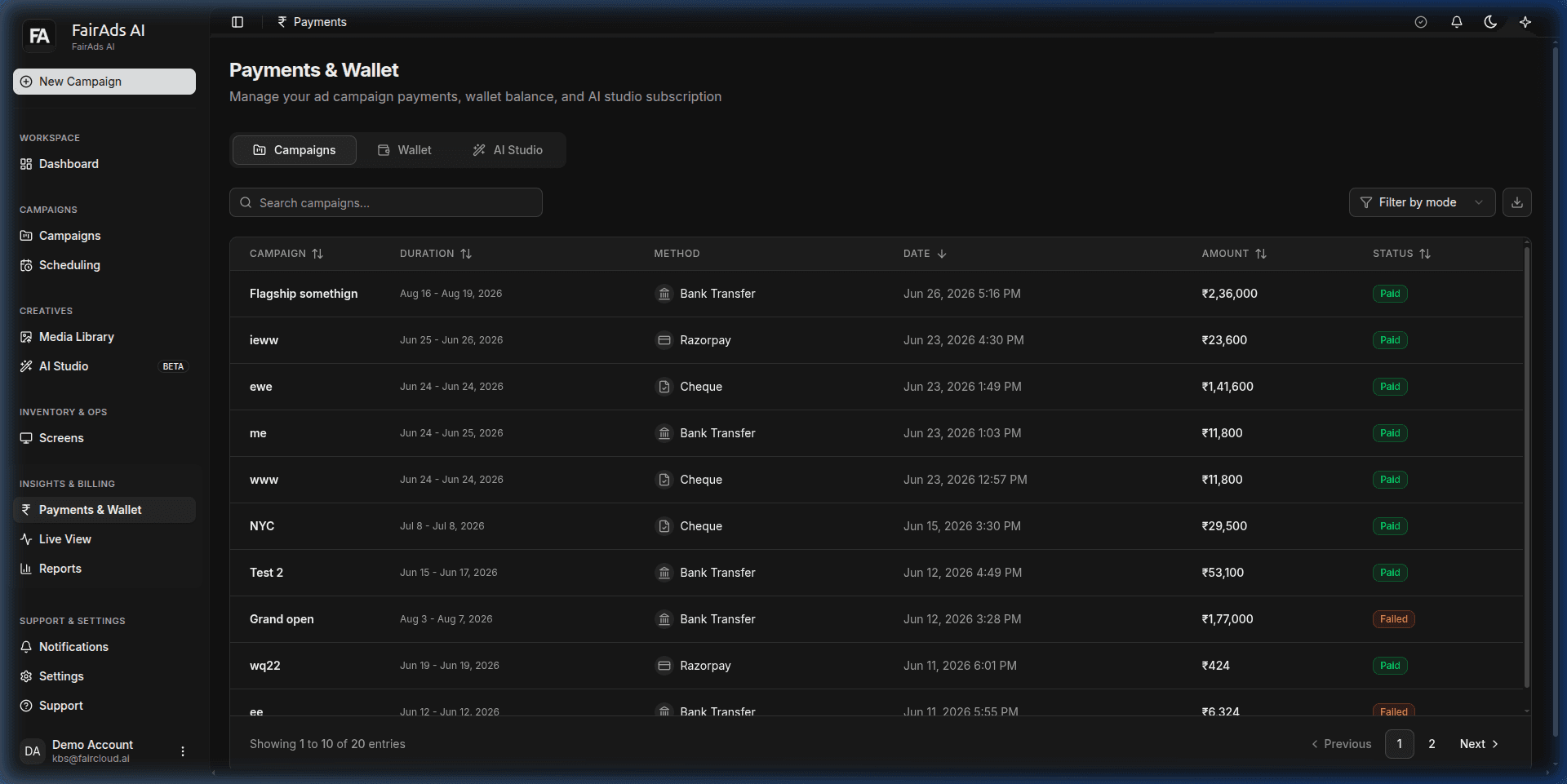 Figure 1: Payments & Wallet section displaying campaign payment histories, duration, payment methods (Bank Transfer, Razorpay, Cheque), amounts paid, and transaction status.
Wallet System Overview
FairAds AI operates a prepaid wallet system for rapid booking and instant campaign activation.
- Wallet Balance (₹): Your active credit balance used for booking screens and running campaigns.
- Auto-Deduction: Campaign charges are locked and deducted upon campaign approval.
- Top-Up Methods: Support for UPI, Credit/Debit Cards, Net Banking, and Bank Transfer / Cheque for enterprise accounts.
Payment Tabs
Navigate across three dedicated tabs on app.fairads.in/payments:
1. Campaigns Tab
- View list of all paid campaign bookings (Flagship, NYC, Test 2, Grand open, etc.).
- Review campaign booking duration, payment method, date, amount paid, and status (Paid or Failed).
2. Wallet Tab
- Top up wallet credits (
+ Top Up). - View chronological transaction history (Credits added, Campaign bookings, Refunds).
- Download official Tax Invoices (GST compliant).
3. AI Studio Tab
- View AI credit balance for Generative AI creative creation.
- Upgrade or manage your AI Studio subscription tier.
How is this guide?