Campaign Management & Lifecycle
Overview of campaign management, status states, filtering options, and campaign lifecycle.
The Campaigns section allows you to manage all active, scheduled, completed, and draft DOOH advertising campaigns.
Go to Platform
Manage your campaigns directly on the app: app.fairads.in/campaigns
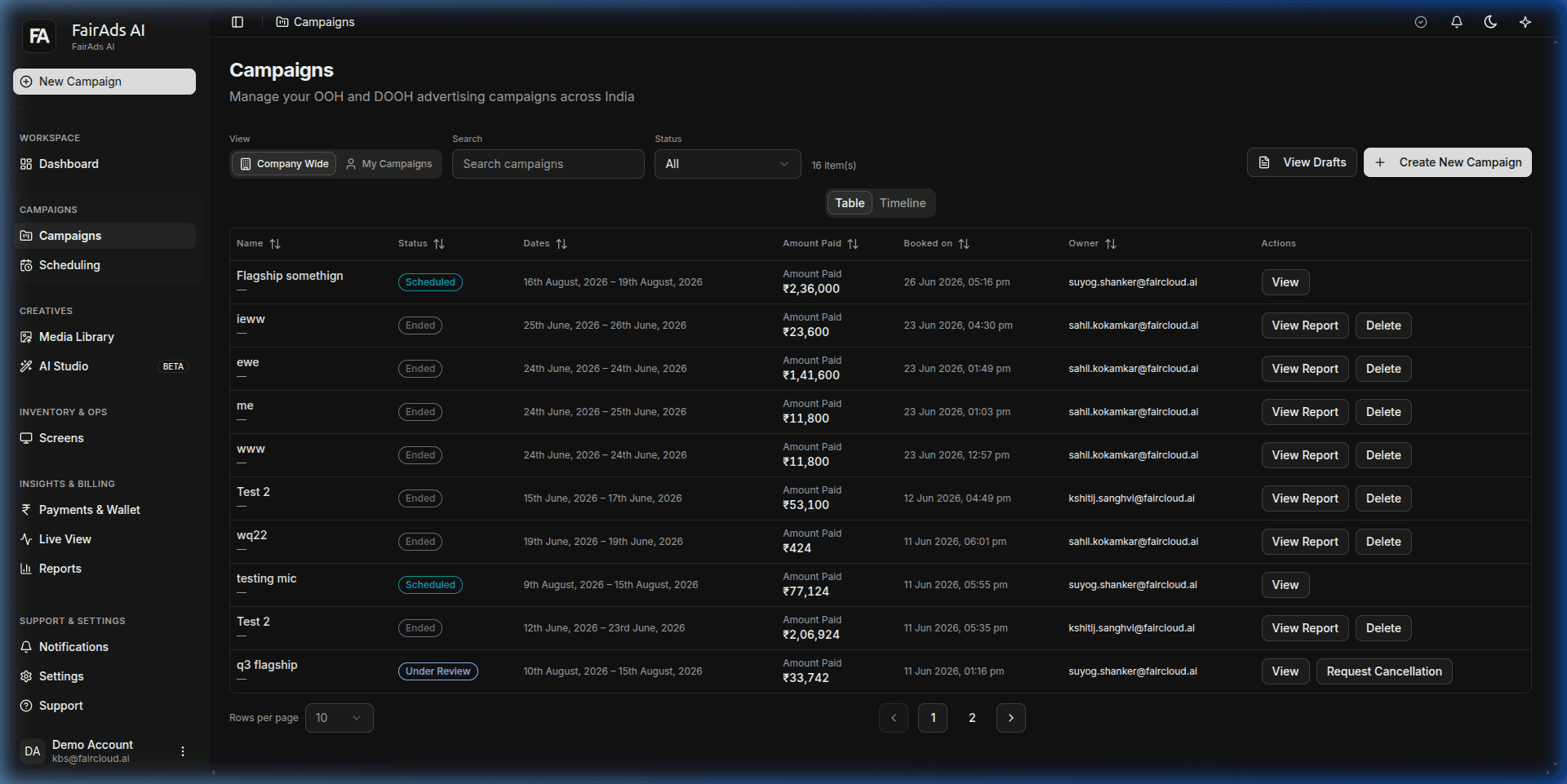 Figure 1: Campaign Management Table featuring search, status filters (Company Wide vs My Campaigns), dates, amounts paid, owner details, and action buttons.
Campaign Status Lifecycle
Every campaign transitions through defined status states:
Status Badges Explanation
| Status Badge | Description | Action Required |
|---|---|---|
| Draft | Campaign configuration saved but not yet submitted. | Resume builder to submit order. |
| Under Review | Order submitted and undergoing media verification. | Await moderator review (2-4 hours). |
| Scheduled | Approved by moderators; scheduled for playback launch. | None. |
| Active | Live on screens and actively generating impressions. | View real-time performance. |
| Limited Delivery | Running live, but 1 or more assigned screens are offline. | Check screen health under Screens. |
| Completed | Campaign run finished. | Download final Proof-of-Play report. |
Filtering & Quick Views
In the Campaigns dashboard (https://app.fairads.in/campaigns), filter campaigns by:
- View Toggle: Switch between Company Wide and My Campaigns.
- Display Toggle: Switch between Table View and Timeline View.
- Status Filter: Filter by All, Scheduled, Active, Under Review, or Ended.
- Search Bar: Search campaigns by campaign title or keywords.
Campaign Actions
For any campaign row in the table:
- View: Inspect campaign summary details and assigned screens.
- View Report: Download or view detailed campaign performance metrics and audience demographics.
- Request Cancellation: Submit cancellation requests for scheduled or under-review campaigns.
- Delete: Remove draft or finished campaign records.
How is this guide?