Dashboard Overview
Monitor company-wide advertising performance, active campaign status, impressions, and audience insights.
The Dashboard serves as the central command center for advertisers on FairAds AI. It provides real-time aggregates of your company-wide DOOH advertising performance across India.
Go to Platform
Access your live dashboard directly on the app: app.fairads.in/dashboard
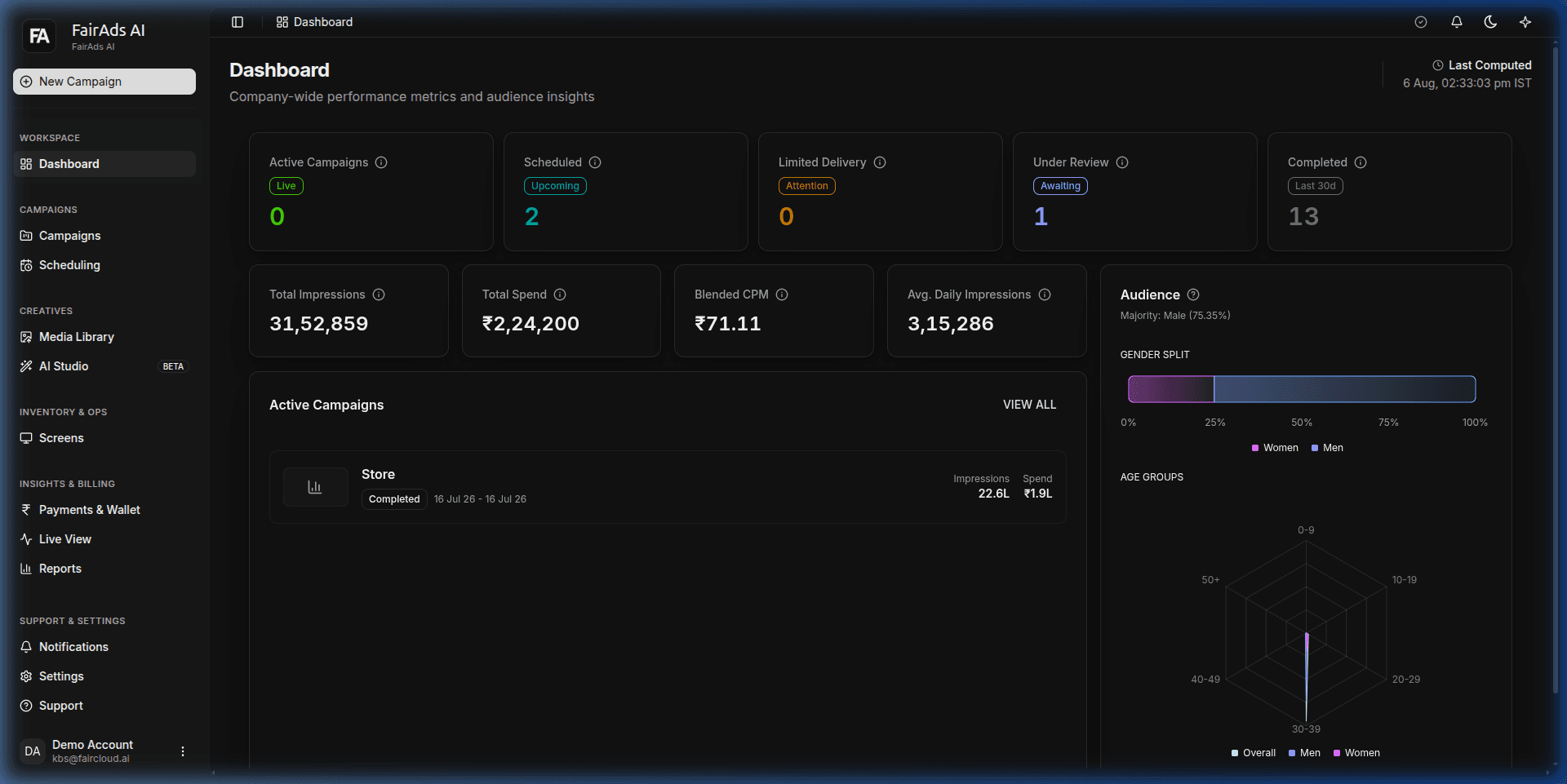 Figure 1: FairAds AI Advertiser Workspace Dashboard featuring KPI summary cards, audience demographics radar chart, and active campaigns list.
Dashboard Layout & Structure
The dashboard layout is structured into actionable widgets:
- Campaign Status KPI Cards: Active (Live), Scheduled, Limited Delivery, Under Review, Completed.
- Business Metric Cards: Total Spend (₹), Total Impressions, Blended CPM (₹), Average Daily Impressions.
- Audience Overview Widget: Gender breakdown (Male vs Female split) and age demographic distribution radar chart.
- Active Campaigns List: Recent campaigns with start/end flight dates, impression counts, and spend summaries.
Key Sections Detailed
1. Last Computed Timestamp
Located in the upper right header, the Last Computed timestamp displays the exact IST time when your company-wide analytics were last updated from screen telemetry logs.
2. Campaign Status KPIs
- Active: Campaigns currently running live on screens.
- Scheduled: Approved campaigns set to launch in future dates.
- Limited Delivery: Campaigns where some allocated screens are temporarily offline or experiencing play disruptions.
- Under Review: Newly submitted campaign orders awaiting moderation approval.
- Completed: Finished campaigns (within the last 30 days).
3. Business Metrics
- Total Spend (₹): Aggregate investment across all active and past campaigns.
- Total Impressions: Verified total viewer count across all screen locations.
- Blended CPM (₹): Effective cost per thousand impressions achieved across campaigns.
- Avg. Daily Impressions: Average daily audience reach generated by running campaigns.
4. Audience Overview
Visual breakdown of target audience demographic distribution:
- Gender Split: Male / Female percentage split detected by optical sensors (e.g., 75.35% Male / 24.65% Female).
- Age Groups Radar Chart: Age distribution categories (0-9, 10-19, 20-29, 30-39, 40-49, 50+).
5. Active Campaigns List
Interactive table listing active and recent campaigns with flight dates, delivered impressions, total spend, and direct links to view detailed performance metrics.
How is this guide?