Welcome to FairAds AI
Complete guide to planning, launching, and tracking Digital Out-Of-Home (DOOH) advertising campaigns across India.
Welcome to the FairAds AI Advertiser Documentation portal. FairAds AI is an intelligent Digital Out-Of-Home (DOOH) advertising platform that connects advertisers with premium screens in high-footfall locations across India.
Access FairAds Web Application
Directly access your advertiser dashboard, build campaigns, and manage media assets at app.fairads.in.
With FairAds AI, you can easily discover screen inventory, build hyper-targeted DOOH campaigns, design creatives using Generative AI, and monitor real-time impression delivery.
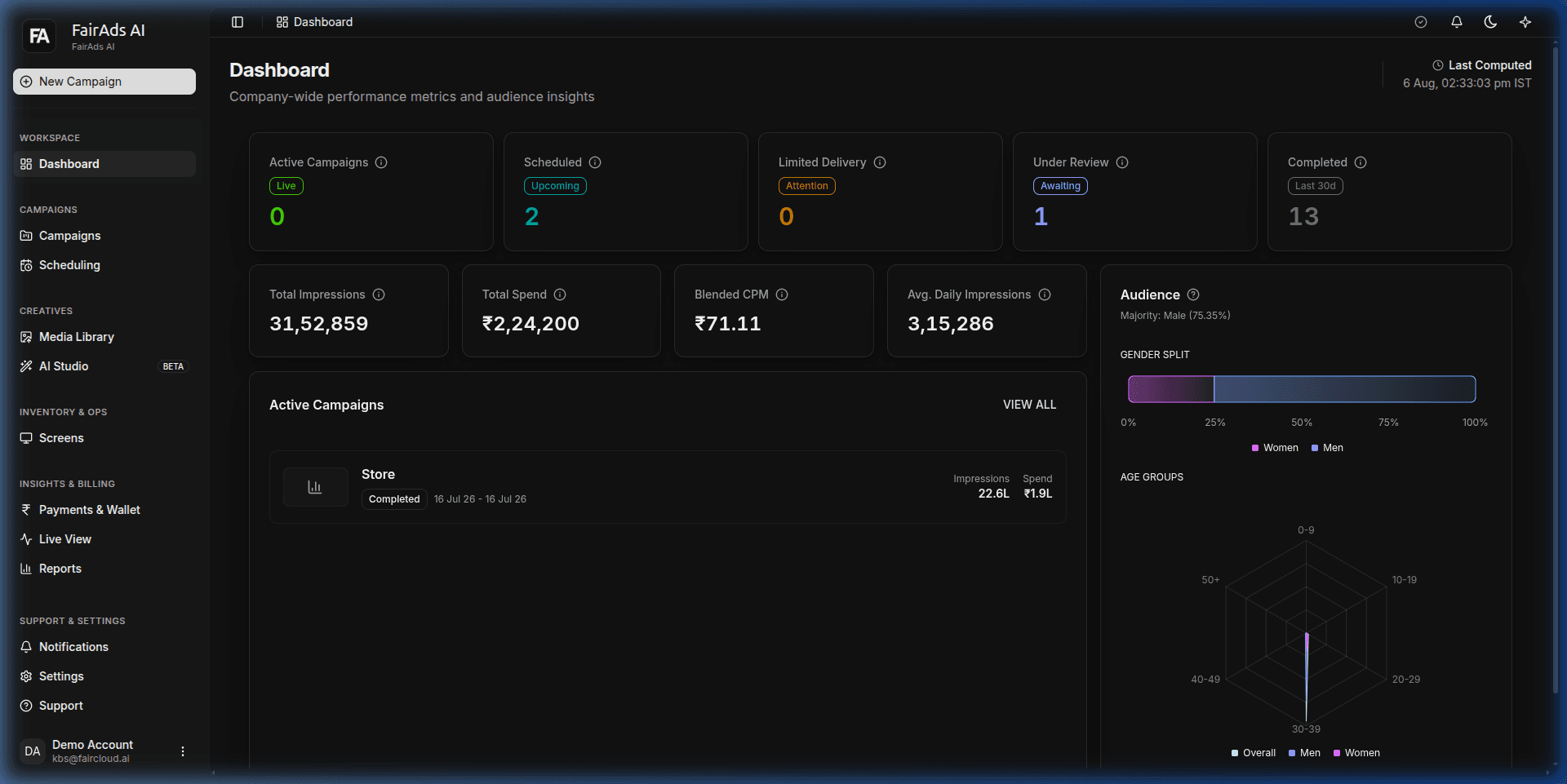 Figure 1: FairAds AI Advertiser Command Center & Analytics Overview
Key Platform Features
1. Workspace & Dashboard
- Real-Time Overview: Track company-wide ad performance, active campaigns, total impressions, and total spend in real-time.
- Audience Demographics: View footfall distribution, gender splits, and age demographics across all active screens.
- Direct Link: Open Dashboard (
app.fairads.in/dashboard)
2. Campaign Management & Builder
- 5-Step Campaign Builder: Launch targeted DOOH campaigns with step-by-step guidance covering Strategy, Audience, Screen Selection, Creative Uploads, and Booking.
- Interactive Map Search: Filter screens by city, location type, footfall, CPM, and screen specs.
- Flexible Scheduling: View campaign schedules on interactive calendar views with automated conflict checks.
- Direct Link: Manage Campaigns (
app.fairads.in/campaigns)
3. Creative Studio & Media Library
- AI Studio (Beta): Create stunning DOOH ad designs from text prompts or enhance existing creatives automatically for high-definition displays.
- Media Library: Manage, tag, and organize video and image assets with support for multiple aspect ratios (
16:9,9:16,4:3). - Direct Link: Open Media Library (
app.fairads.in/media) | Launch AI Studio (app.fairads.in/ai-studio)
4. Real-Time Insights & Reports
- Live View: Monitor active campaign playback and second-by-second impression delivery.
- Detailed Analytics: Review dwell time, footfall trends, and export campaign proof-of-play reports for stakeholders.
- Direct Link: View Live Telemetry (
app.fairads.in/analytics?campaignId=live)
5. Payments & Wallet
- Prepaid Wallet: Maintain account balance for rapid campaign activation and seamless billing.
- AI Credits & Invoices: Manage subscriptions, view itemized invoices, and track campaign expenditures.
- Direct Link: Manage Payments & Wallet (
app.fairads.in/payments)
Quick Navigation
| Section | Description | Platform Quick Link |
|---|---|---|
| Getting Started | Learn core DOOH concepts and launch your first campaign in minutes. | app.fairads.in |
| Dashboard | Understand performance metrics, KPI cards, and audience summaries. | app.fairads.in/dashboard |
| Campaign Builder | Step-by-step walkthrough for building high-performing campaigns. | app.fairads.in/campaigns/new |
| AI Studio | Use Generative AI to design and refine high-converting ad assets. | app.fairads.in/ai-studio |
| Screen Inventory | Explore available screens across prime retail, transit, and commercial locations. | app.fairads.in/screens |
| Payments & Wallet | Manage wallet balance, credits, invoices, and transaction logs. | app.fairads.in/payments |
Need Support?
If you need assistance with campaign approval, custom screen packages, or billing inquiries:
- Visit our FAQ & Support Guide
- Contact support directly from your Support Dashboard
How is this guide?