DOOH Screen Inventory & Details
Explore, filter, and inspect registered digital screens across India.
The Screens module lets you search, filter, and inspect FairAds AI's nationwide network of registered Digital Out-Of-Home (DOOH) displays.
Go to Platform
Explore active screen inventory directly on the app: app.fairads.in/screens
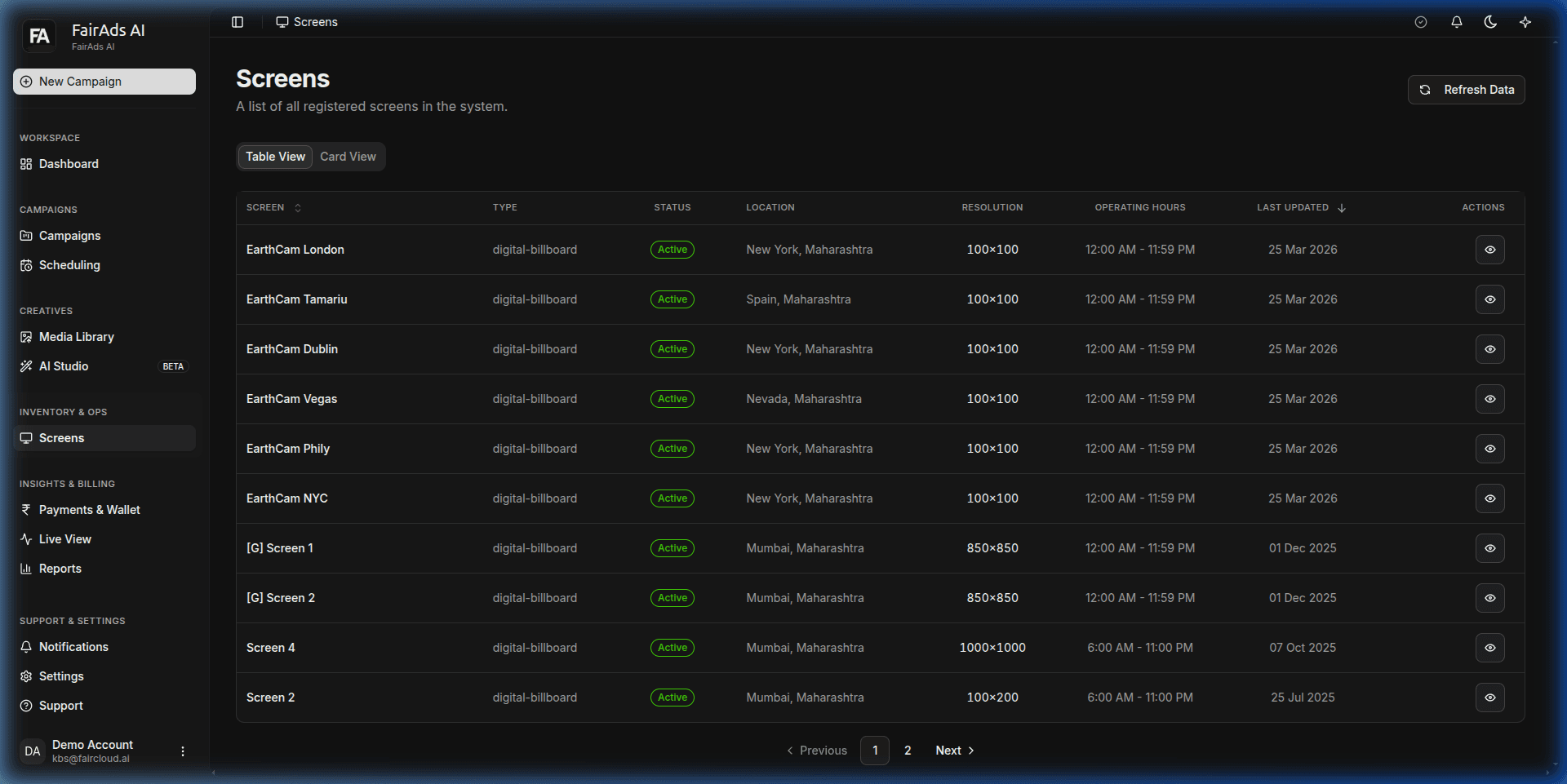 Figure 1: Registered DOOH Screens inventory listing locations, screen types, operating status, resolutions, and operating hours.
Viewing Screen Inventory
Navigate between two view modes using the view toggle:
1. Table View
Displays all registered screens in a sortable, paginated table:
- Screen Name & Venue: Venue location (e.g. EarthCam London, EarthCam Tamariu, EarthCam Dublin, EarthCam Vegas, EarthCam NYC, Screen 4).
- Type:
digital-billboard, indoor LCD, transit display. - Status: Active / Maintenance / Offline.
- Location: Specific region & state (e.g., New York, Maharashtra, Mumbai, Maharashtra, Spain, Maharashtra).
- Resolution: Pixel resolution (
100×100,850×850,1000×1000,100×200). - Operating Hours: Active window (e.g.,
12:00 AM - 11:59 PM,6:00 AM - 11:00 PM). - Actions: Click the eye icon to inspect detailed screen telemetry.
2. Card View
Visual grid showing screen preview images, physical venue photos, orientation badges, and quick booking buttons.
How is this guide?